
NSFW GIF Face Swap
Put your face in the loop. Upload an animated GIF and a face photo, then download your new GIF.
Create your GIF
Single facePreview
Choose a GIF and a face photo.
Face swap examples
Compare expressions, angles and styling.
Still-image references from PixaryAI ↗
A new face. The same scene.
Compare the face with the original hair, outfit and background.
- Face photo
- The inset portrait supplies the replacement facial features, rather than a new hairstyle.
- Keep from the GIF
- Purple hair, the black top, hand position and the bottles behind the subject.
- What to check
- Compare the eyes and lips with the face photo, then inspect the jaw and hairline for seams.
Keep the original expression
A clear face makes the change easier to follow.
- Face photo
- The inset photo provides identity; the original scene still supplies the head pose.
- Keep from the GIF
- The red dress, brown curls, fingers beside the chin and evening background.
- What to check
- Look closely at the mouth, chin and fingers. In motion, the face should follow the original expression.
Match the angle
Use a face photo taken from a similar angle to the GIF.
- Face photo
- Use the visible eyes, nose and mouth as reference, even when the hair color differs.
- Keep from the GIF
- The silver bob, tilted head, gray sweater and indoor setting.
- What to check
- Check eye alignment and the cheek outline. A very different head angle makes blending harder.
Keep the styling
Jewelry, clothes and framing come from the original GIF.
- Face photo
- The front-facing portrait gives a clear reference for the eyes, brows and smile.
- Keep from the GIF
- The gold outfit, red-stone necklace, earrings, raised hand and arched background.
- What to check
- Inspect the cheeks beside the earrings and the chin above the necklace for blurred edges.
Try a close-up
Start with one visible face and a simple movement.
- Face photo
- A sharp portrait is useful here because the face fills most of the frame.
- Keep from the GIF
- The forward lean, black bangs, close framing and purple room light.
- What to check
- Small changes are easy to spot at this scale. Compare both eyes and the corners of the smile.
Compare the lighting
Similar light and skin exposure help reduce visible seams.
- Face photo
- The inset portrait has cooler, flatter light than the warm outdoor scene.
- Keep from the GIF
- Wet curls, white straps, shoulder highlights and the sunset background.
- What to check
- Check whether the face blends with the neck. Watch for a sudden color change or a flat-looking patch.
Start with a GIF
Choose an animated source, then add your face photo.
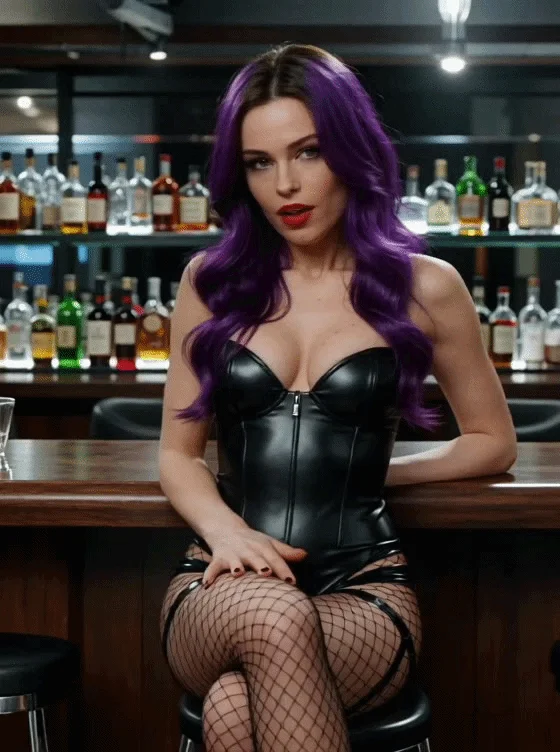
A glance at the bar
5s 10 creditsA close portrait with a small head movement. Start here to compare facial features and the hairline.
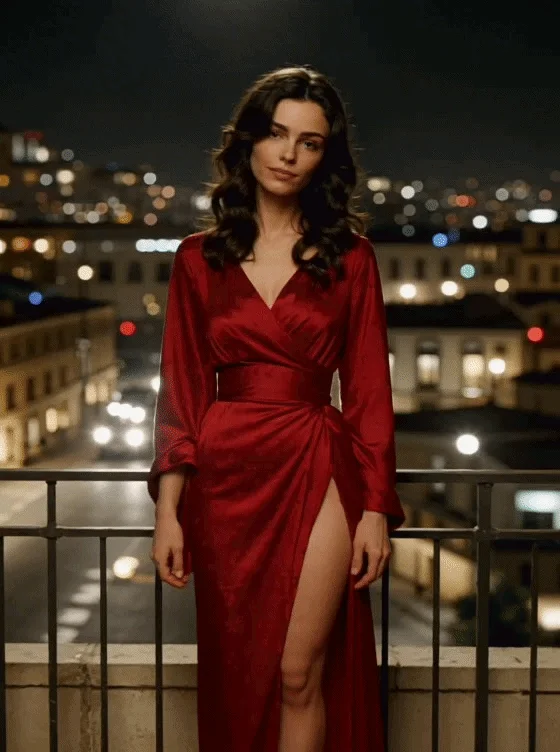
A night-out moment
5s 10 creditsA hand near the chin and warm evening light. Check where the face meets the fingers and neck.
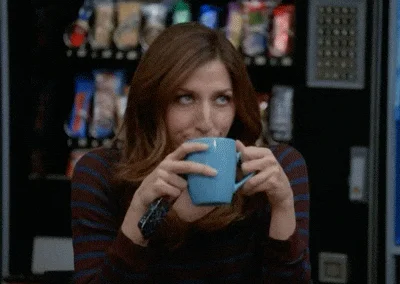
A knowing reaction
2s 4 creditsA brief reaction for a personalized reply or meme. Watch the eyes and mouth through the whole loop.
GIF face swap for memes and reactions
An AI GIF face swap changes the face in a familiar moment. Compare the gestures, expressions and setting in these animated references.
The same playful wave
The raised eyebrows, sideways look and small hand wave carry the joke. The face changes while the suit, tie and gesture stay recognizable.
Watch forWatch the new eyebrows and smile through the wave, especially where the cheek meets the hairline.
Reference: EasyFaceSwapA double take that still lands
The tilted head, open hands and white shirt make the confused reaction readable. A new face should follow that expression rather than turn it into a neutral portrait.
Watch forCompare the eye direction and mouth as the head tilts. Leave the body language and room unchanged.
Reference: EasyFaceSwapKeep the punchline in place
A short facial reaction works with the existing “click” caption. Replacing the face should leave that text and the original close framing intact.
Watch forFollow the eyelids and lips through the expression. Check that the caption remains readable.
Reference: EasyFaceSwapSurprise, all the way through
Wide eyes and an open mouth make this a stronger test than a calm portrait. The new identity still needs to follow the original surprise.
Watch forWatch the mouth opening, teeth and eye shape. A still frame alone cannot show whether the expression holds.
Reference: EasyFaceSwapA sideways look and a smile
A small glance can say as much as a dramatic reaction. The red shirt, warm room light and head angle remain part of the original moment.
Watch forLook at the cheek, ear and neck as the face turns. The new face should blend into the existing light.
Reference: EasyFaceSwapA red-carpet wave
A smile and a wave give a short character loop a clear action. The gown, camera flashes and red-carpet setting stay in place as the face changes.
Watch forCompare the smile and jaw during the movement. Keep the hand gesture and the end of the loop in view.
Reference: FacecamTo add a face to an animated GIF, start with the loop you already have. AINSFW uses that GIF for the action and your portrait for the new face. A meme, a reaction or an adult character scene follows the same two-file workflow.
Put your face on a GIFCheck more than the first frame
A still comparison shows the face change. In an animated GIF, the face also has to follow every glance and turn.
 0.1s
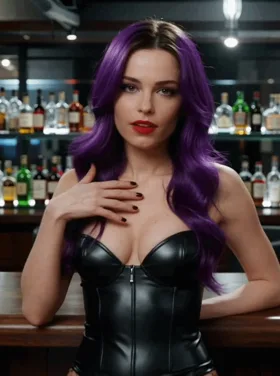 2.5s
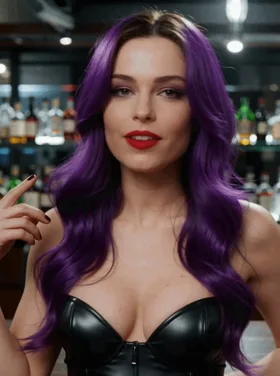 4.8s
Identity through the movement
Watch a full loop. The eyes, nose and mouth should keep the new identity as the head moves.
Expressions that still read
Compare the smile, blink or glance with the original GIF. Look for a frozen mouth or a jumping eye.
Clean edges and consistent light
Enlarge the result. Check the jaw, hairline and any hand near the face for halos, blur or color shifts.
The complete animation
Compare the first and last moments with the source. A cut-off ending or a new pause at the loop needs another look.
How to swap a face in a GIF
Add the original GIF
Choose a short animation with one clear face. Preview the motion and check its length before continuing.
Choose the new face
Add a sharp portrait. A similar angle and even lighting give the model a clearer reference.
Swap and download
Check the price, submit once, and download the animated GIF when processing finishes. Your task remains in My creations.
Better inputs.
A cleaner face swap.
Use a reaction, a glance or a short character moment. The original GIF supplies the action; the photo supplies the face.
Choose your GIFOne visible face
Keep the face large enough to read. Avoid crowds, tiny faces or a hand covering the eyes and mouth.
A matching angle
A front-facing photo fits a front-facing GIF best. Strong profile views and big rotations are harder to match.
Short, steady motion
A few clear seconds usually give a more useful result than a fast montage with cuts or heavy blur.
The right source
Use your own face or an adult who has agreed to the edit. Check the result before sharing it.
When a GIF face swap looks off
Match the visible issue to a better source or face photo before trying again.
| What you see | Why it happens | Try this |
|---|---|---|
| The face changes during a head turn | A strong profile or motion blur hides the features needed to keep the identity consistent. | Choose a gentler turn and a face photo taken from a similar angle. |
| A hand or hair looks smeared | An object crossing the eyes or mouth makes the face boundary harder to follow. | Use a moment with less occlusion. Keep the hand or hair away from the center of the face. |
| The face looks pasted on | Different lighting, strong filters or a low-detail portrait can make the face stand apart from the neck. | Try a sharper, evenly lit portrait with less filtering and a similar head angle. |
| The downloaded GIF looks like a still | Some apps show a still preview before opening a GIF; an image editor may also save only one frame. | Open the downloaded .gif in a browser. Share the GIF file itself rather than a screenshot. |
GIF, photo or video?
Face replacement and creating new motion are different jobs. Start with the tool that matches your file.
GIF face swap questions
Where can I swap a face in an NSFW GIF online?
AINSFW has a dedicated NSFW GIF face swap tool: add an animated GIF and one face photo, then download the edited animation. Use it from a desktop or mobile browser; processing happens online. Use only adult subjects and media you have permission to edit. Open GIF face swap
Is there a GIF face swap tool that keeps the animation?
AINSFW uses the animated GIF as the motion source, rather than a still screenshot. The face is replaced across the sequence. The original movement, timing and background guide the result; large head turns or an obscured face can still produce artifacts. Swap an animated GIF
Can I put my face on a GIF without installing an app?
AINSFW can put your face on an existing GIF in a desktop or mobile browser. Add a short meme, reaction or character loop and one face photo, then download the face-swapped animation. You do not need a face-editing app or a written prompt: the GIF supplies the action. Use a sharp face photo with even lighting. Put your face on a GIF
Where can I try GIF face swap for free?
AINSFW lets you preview both files for free. An eligible account can use its available daily credits for a short GIF; generation costs 2 credits per started second. If daily credits do not cover the task, active video access and enough account credits are required. View credit options
Which files can I upload?
Use an animated GIF between 0.5 and 8 seconds, up to 20 MB and 2048 pixels per side. Very large animations with many frames may need a smaller size or lower frame rate. The face photo can be JPG, PNG or WebP, up to 10 MB.
How much does GIF face swap cost?
The price is 2 credits per second, with the length rounded up to the next whole second. A 2.4-second GIF costs 6 credits; a 5-second GIF costs 10 credits. The server reads the GIF duration before charging. The final price appears on the generate button.
Can I swap several faces in the same GIF?
This tool is for a GIF with one clear face. There is no face selector or multi-face mode here. Use a single-person clip to avoid changing an unintended face.
Will the result download as a GIF or a video?
The download is an animated GIF. If processing returns a video, AINSFW converts it to a looping GIF before the result becomes available. GIF has no audio, and conversion may reduce frame rate or dimensions to keep the file manageable.
Can I turn a still photo into an animated GIF here?
GIF face swap needs an existing animation. To create new motion from a still photo, use the NSFW AI GIF generator instead. For a face replacement in a single image, choose photo face swap. Create a GIF from a photo
Are my uploads and results public?
Your uploads and generated files are not added to a public gallery. They remain accessible through your account and temporary media links. Download results you want to keep: uploaded files and generated media are stored for seven days. The eye button hides your result previews on this page.
Why can a swapped face look distorted?
Fast movement, heavy blur, tiny faces, hands covering the face and extreme side views make tracking harder. Start with a short, well-lit GIF and a sharp reference photo. Keep the reference angle close to the face in the animation.
A new face for your next GIF.
Start with one short animation and one clear portrait.